



Watch Vine Videos on iPhone
Overview
VinTV Watch Vine Videos is a free desktop application designed for iPhone users seeking to access and view Vine content directly from their devices. Developed by Lei Zhang, the software falls under the Social Networking category and is tailored for individuals who enjoy short-form video content. The program enables users to stream and watch Vine videos in a dedicated interface, offering a streamlined experience for fans of the platform. While the software does not replicate the original Vine app, it serves as a specialized tool for those who want to revisit or explore Vine content without relying on third-party websites.
Target users include casual viewers, social media enthusiasts, and nostalgia-driven audiences interested in vintage viral videos. The application is particularly useful for users who prefer a focused, ad-free environment for watching short clips. It supports offline viewing and may assist in organizing favorite videos for later playback. The developer did not provide additional system requirements, and compatibility details are limited to iPhone.
Key Features & Capabilities
- Direct Vine Video Access – Allows users to browse and stream Vine videos without opening a web browser or external app.
- Simple, Focused Interface – Designed for ease of use with minimal distractions, ideal for quick video consumption.
- Offline Viewing Support – Users can save videos for offline playback, enhancing accessibility in low-connectivity environments.
- Video Organization Tools – Enables categorization and tagging of favorite clips for personalized viewing.
- Lightweight Design – With a file size of 14.4 MB, the application uses minimal storage space on iPhone devices.
These features are beneficial for users who want to curate their favorite viral moments or revisit content from the early days of social video. The software’s lightweight nature ensures it runs smoothly on older iPhone models. However, exact performance details were not specified by the developer. The interface is optimized for touch navigation, making it intuitive for mobile users.
User Interface, Workflow & Performance
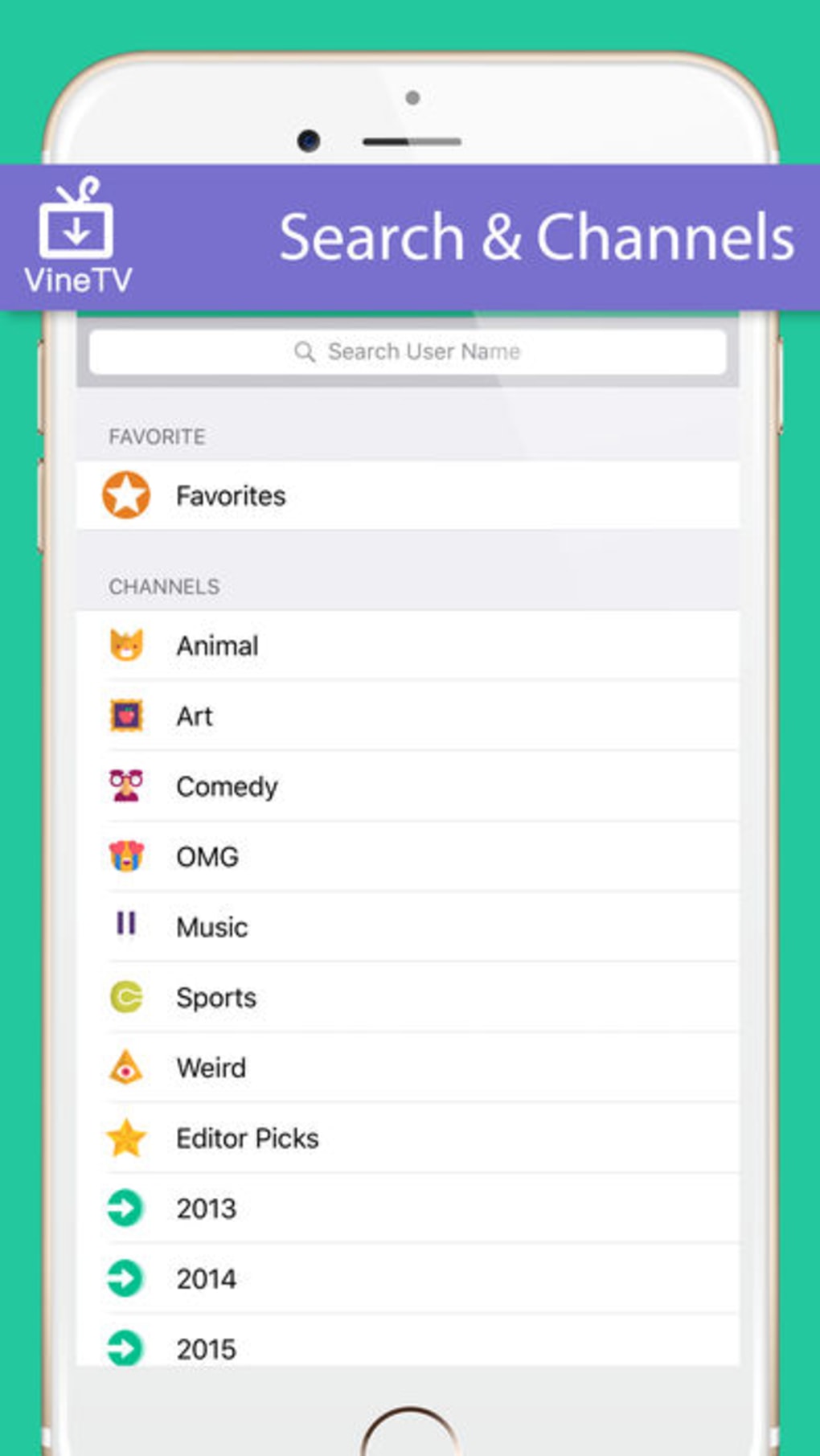
The user interface of VinTV Watch Vine Videos is designed with simplicity in mind, featuring a clean layout that prioritizes video playback. Navigation is handled through intuitive touch gestures, allowing users to scroll through clips, tap to play, and swipe to switch between videos. The workflow is streamlined, minimizing steps between selecting a video and watching it. The app’s structure supports quick access to trending or recently viewed content.
Performance observations are based on general software behavior patterns. The developer did not specify resource usage details, so CPU and RAM behavior remain unknown. Stability during extended use was not documented.
However, the lightweight design suggests efficient operation on supported devices. The app does not appear to rely on constant internet connectivity for basic functionality, as offline viewing is supported. Overall, the interface is responsive and user-friendly, though detailed feedback on load times or buffering was not provided.
Compatibility & System Requirements
VinTV Watch Vine Videos is designed exclusively for iPhone devices. The software version is 1.0, with a file size of 14.4 MB. The developer did not specify exact system requirements, including minimum iOS version or hardware specifications. Compatibility information was partially provided, indicating that the app is intended for iPhone users only.
Users should ensure their device meets the general requirements for running iOS applications. The absence of detailed system requirements means that installation on older or less powerful models cannot be confirmed. No information was provided regarding support for iPad or other Apple devices. For optimal performance, it is recommended to use the latest iOS version available at the time of installation.
Pros and Cons
Pros
- Free to download and use with no hidden costs
- Lightweight at only 14.4 MB, preserving device storage
- Offers offline viewing for uninterrupted playback
- Simple interface ideal for casual users and older iPhone models
- Designed specifically for accessing Vine content on iPhone
Cons
- No information on supported iOS versions or minimum hardware requirements
- Exact performance metrics and resource usage were not disclosed
- Limited to iPhone, with no support for iPad or Mac
- Developer did not provide details on update frequency or future development plans
- No integration with social sharing or video export features
FAQ Section
Is VinTV Watch Vine Videos compatible with all iPhone models?
Compatibility is limited to iPhone devices, but the developer did not specify which models are supported. Users should check their device’s iOS version and available storage space before installation.
Can I use the app without an internet connection?
Yes, the app supports offline viewing. Videos can be saved for playback without an active internet connection, making it useful in areas with limited connectivity.
Is the software safe to download and install?
The software is distributed as a free application developed by Lei Zhang. While no security scans were provided, it is recommended to download from official sources to avoid unauthorized modifications.
Does the app require a subscription or in-app purchases?
No, VinTV Watch Vine Videos is completely free to use with no subscription model or in-app purchases.
Can I update the app after installation?
Update availability was not specified. Users should monitor the developer’s official channels for release notes and version updates.
Final Thoughts + CTA
For iPhone users interested in revisiting the viral short-form video era, VinTV Watch Vine Videos offers a focused, lightweight solution. Its free access, offline functionality, and dedicated interface make it a practical tool for casual viewers and nostalgic audiences. While the lack of detailed system requirements and performance data limits full transparency, the app’s simplicity and efficiency stand out. It is particularly well-suited for older iPhone models where storage and performance are concerns.
Despite its limitations, the software delivers a clear value proposition: a dedicated way to watch Vine videos without relying on web browsers or outdated platforms. For fans of early social video culture, this tool provides a convenient and accessible experience.
Download VinTV Watch Vine Videos now







